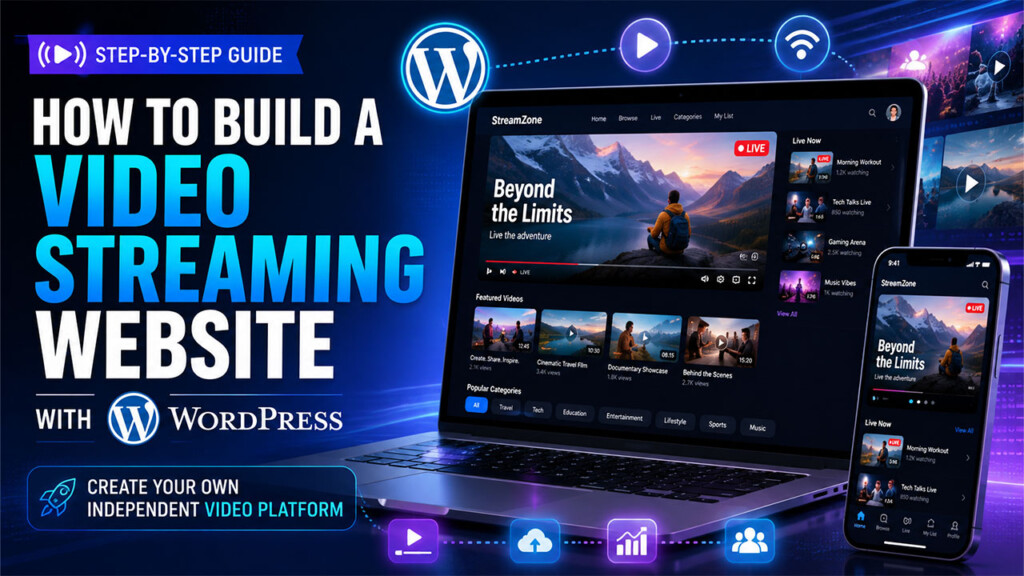

Video has become one of the most effective ways to teach, entertain, build communities, promote businesses, and connect with audiences online. But if video is an important part of your business or organization, relying entirely on platforms such as YouTube, Facebook, or other social networks means building your audience on someone else’s platform.
WordPress gives you another option.
With the right tools, you can build your own video streaming website where you control the branding, content, user experience, memberships, community, and the way your audience interacts with your videos.
Whether you’re a content creator, church, educator, business, organization, or entrepreneur, this guide will walk you through the major pieces you need to create a video streaming platform with WordPress.
Prefer to watch instead of read?
See how VideoHub360 can help you build your own independent video and digital platform with WordPress.
Watch “Build Your Own Independent Video & Digital Platform: VideoHub360”
Why Build Your Own Video Streaming Website?
YouTube and social media platforms are excellent tools for discovery. They can help you reach people who may have never heard of your brand.
But they don’t necessarily have to be your entire digital strategy.
When you build your own video website, you can create a destination that belongs to your organization rather than sending your audience exclusively to a third-party platform.
Your website can become the central location for your videos, livestreams, community, events, memberships, announcements, and other digital content.
That gives you greater control over things such as:
- Your website’s branding and design
- How videos are organized and presented
- The experience viewers have while watching your content
- User accounts and profiles
- Community engagement
- Membership and access rules
- Monetization
- Livestreaming
- Your relationship with your audience
The goal isn’t necessarily to abandon platforms such as YouTube.
A stronger strategy can be to use large platforms for discovery while using your own website as your digital home.
What Is a WordPress Video Streaming Website?
A WordPress video streaming website is more than simply embedding a YouTube video inside a blog post.
A true video platform may include features such as:
- A searchable video library
- Individual video pages
- Categories and content organization
- Livestreaming
- User registration and accounts
- Member-only content
- Community features
- Likes, comments, or discussions
- Events and announcements
- Video galleries
- Subscription or membership options
- Mobile-friendly viewing
- Creator or administrator tools
Depending on your goals, your site could resemble a private membership platform, an online video network, a church media platform, a training portal, or even your own small-scale streaming service.
WordPress provides the foundation.
The challenge is putting all of the additional pieces together.
1. Start With WordPress and Reliable Hosting
The first requirement is a WordPress website.
For a basic blog, inexpensive shared hosting may be enough. A video platform can have greater demands, particularly when you begin adding logged-in users, community features, livestreaming, membership systems, and large amounts of traffic.
Your hosting environment should ideally provide:
- Solid server performance
- SSL/HTTPS
- Reliable backups
- Enough storage for your website files
- Adequate PHP and database resources
- The ability to scale as traffic grows
For more advanced platforms, a VPS or managed cloud server may provide greater flexibility than basic shared hosting.
However, there’s an important distinction to make:
Your WordPress server doesn’t necessarily need to store or stream all of your video files itself.
In many cases, it shouldn’t.
2. Decide Where Your Videos Will Be Hosted
Video files are much larger than ordinary web pages and images.
Uploading dozens or hundreds of large videos directly to a traditional WordPress hosting account can quickly consume storage and bandwidth.
A better architecture is often:
WordPress manages your website while a dedicated video or media provider handles the actual video delivery.
Depending on your setup, you might use:
- A dedicated video hosting service
- Cloud object storage
- A video CDN
- A specialized video streaming provider
- Local WordPress storage for smaller use cases
The right choice depends on your audience size, video quality, budget, and how much control you want over your infrastructure.
For example, a small organization publishing occasional videos may have very different needs from a platform delivering hours of HD content every week.
3. Build a Real Video Library
Once your hosting is configured, you need a good way for visitors to browse your videos.
This is where many WordPress sites begin to feel less like a video platform and more like a normal website with videos added to it.
A dedicated video experience should make it easy for visitors to discover content.
Consider including:
- Video thumbnails
- Video titles
- Descriptions
- Categories
- Search
- Related content
- Recently added videos
- Individual video pages
- Featured content
Instead of treating your videos as random media files, treat them as a structured content library.
For example, a church could organize videos into:
- Sermons
- Bible studies
- Conferences
- Livestreams
- Special events
A creator could organize content into:
- Tutorials
- Interviews
- Behind-the-scenes content
- Livestream replays
- Premium videos
Organization becomes increasingly important as your library grows.
4. Add Livestreaming
If you want your platform to support live events, you’ll need a livestreaming solution.
Livestreaming is more complicated than publishing prerecorded video because viewers need to receive video in real time.
Your setup may require a dedicated realtime video or broadcast provider rather than relying only on your WordPress server.
Depending on the platform you’re building, livestreaming could be used for:
- Church services
- Conferences
- Classes
- Creator broadcasts
- Business presentations
- Member events
- Interviews
- Community discussions
You should also think beyond the livestream itself.
What happens when the broadcast ends?
A strong platform should have a plan for converting livestreams into replay content so viewers can continue watching afterward.
That turns a one-time broadcast into content that can continue generating value.
5. Add User Accounts and Community Features
One of the biggest advantages of owning your platform is the ability to build a direct relationship with your audience.
Instead of every visitor remaining anonymous, you can allow people to create accounts and participate in your community.
Depending on your goals, users might be able to:
- Create profiles
- Upload profile photos or avatars
- Comment on content
- React to posts
- Participate in discussions
- Share videos
- View community activity
- Attend events
- Upload content
- Interact with other members
This changes your website from a simple content library into a digital community.
For some organizations, this may be even more valuable than the video features themselves.
A creator isn’t simply publishing videos anymore.
A church isn’t simply livestreaming services.
A business isn’t simply uploading training content.
Each organization is building a platform around its audience.
6. Add Memberships and Access Control
Not every video has to be available to everyone.
WordPress can also be used to create different levels of access.
For example, you could offer:
- Public videos
- Registered-user videos
- Member-only videos
- Premium content
- Private training material
- Customer-only resources
- Restricted livestreams
Memberships can also become part of your monetization strategy.
A creator could offer premium videos to subscribers.
A training company could restrict courses to paying customers.
An organization could make internal content available only to members.
A church could provide certain ministry resources to registered users.
Access control gives you much more flexibility than simply publishing everything publicly.
7. Think About Monetization
If your video website is part of a business, there are several ways you may eventually monetize the platform.
Depending on your audience and business model, that could include:
- Membership subscriptions
- Premium video access
- Digital products
- Courses
- Donations
- Event registration
- WooCommerce products
- Professional services
You don’t necessarily need to monetize the video itself.
Your videos may instead generate interest in another product or service.
For example, a consultant might publish educational videos that lead viewers to book a consultation.
A church may use video primarily for outreach and community engagement.
A creator might combine free videos with premium memberships.
Owning the platform gives you the flexibility to choose the model that works for you.
8. Make the Platform Mobile Friendly
A large portion of your audience will probably watch your videos from a phone.
Your video streaming website therefore needs to work well on smaller screens.
That means thinking about more than simply making the page responsive.
Navigation, video players, community features, profiles, menus, and livestream controls should all be comfortable to use from mobile devices.
You may also want to explore Progressive Web App (PWA) functionality.
A PWA can make a website feel more like an installed application and allow users to add the platform to their device from a supported browser.
For organizations that want an app-like experience without immediately developing separate native iOS and Android apps, this can be an attractive option.
The Challenge: Building Everything With Separate WordPress Plugins
Technically, nearly every feature discussed above can be added to WordPress.
The harder question is:
How many different systems will you have to connect to make it all work?
A traditional approach might require one solution for:
- Video management
- Livestreaming
- Memberships
- Community features
- User profiles
- Events
- Video uploads
- Galleries
- Mobile functionality
- Access control
- Monetization
- Social engagement
Each tool may work well individually.
The difficulty comes when you’re trying to make all of them feel like one platform.
You may encounter:
- Conflicting plugin styles
- Different user interfaces
- Compatibility problems
- Multiple subscriptions
- Duplicate functionality
- Complicated configuration
- Different update schedules
- Increased maintenance
This is one reason building an independent video platform with WordPress can become much more complicated than people initially expect.
A More Integrated Approach: VideoHub360
This is the problem VideoHub360 was designed to address.
VideoHub360 provides a WordPress-based foundation for building an independent video and digital platform without starting from a standard theme and attempting to assemble the entire experience from unrelated plugins.
It brings video, livestreaming, community, memberships, engagement, galleries, events, and other digital-platform functionality into a more unified WordPress experience.
Because it’s built around WordPress, you still have the flexibility and ownership advantages of running your own website.
You control your:
- Domain
- Brand
- Website
- Content
- Platform design
- Community experience
Rather than forcing your audience to experience your content entirely through another company’s platform, you can create a destination built around your own organization.
Learn more about VideoHub360 →
What Can You Build With VideoHub360?
The same underlying platform can be adapted for many different types of websites.
Creator Video Platform
Creators can publish videos, build a community, livestream, organize content, and create a branded home for their audience.
Instead of your brand existing only as a YouTube channel or social media profile, your website becomes the center of your digital presence.
Church Streaming Platform
Churches can create a platform for livestreaming services, publishing sermons, sharing events, posting announcements, building community, and organizing ministry content.
Your church website can become more than a collection of informational pages.
It can become an active digital ministry platform.
Course and Training Platform
Educators, coaches, businesses, and training organizations can organize video lessons, restrict access to registered users or members, and create a centralized environment for educational content.
Membership Video Website
Creators and organizations can combine video with membership access to build premium content libraries and private communities.
Business Digital Platform
Businesses can use video for training, customer education, events, professional services, community engagement, and internal or external communications.
Independent Streaming Network
You can also build a platform centered almost entirely around video and livestreaming.
This could be useful for independent media organizations, niche communities, ministries, entertainment brands, or creators that want their own branded streaming destination.
Should You Stop Using YouTube?
Not necessarily.
Owning your platform doesn’t mean you have to abandon other platforms.
In fact, YouTube, Facebook, Instagram, TikTok, and other networks can still play an important role in your marketing strategy.
The difference is how you use them.
Instead of treating those platforms as your entire digital presence, you can use them to help people discover you and then bring interested viewers back to your own website.
Think of it this way:
Social platforms help you reach an audience.
Your website gives that audience somewhere to belong.
That distinction can become increasingly important as your brand grows.
Build a Platform You Control
Building a video streaming website with WordPress requires more than installing WordPress and uploading a few videos.
You need to think about:
- Hosting
- Video delivery
- Content organization
- Livestreaming
- User accounts
- Community
- Memberships
- Access control
- Mobile usability
- Monetization
- Long-term maintenance
You can assemble those pieces individually.
Or you can start with a platform designed specifically around the idea of creating an independent video and digital experience.
That is where VideoHub360 comes in.
If you’ve been thinking about creating your own streaming platform, membership community, church media site, creator network, or video-driven business website, WordPress gives you the ability to build something you control.
And VideoHub360 can give you a head start.
See VideoHub360 in Action
Want to see what an independent WordPress video and digital platform can look like?
Watch “Build Your Own Independent Video & Digital Platform: VideoHub360” →
Or visit VideoHub360.com to learn more about building your own video and digital platform.
Be the first to comment.